
Editorial research completed: 6 September 2026. Prices, availability, compatibility and app features can change; recheck the linked manufacturer page and seller listing before publication or purchase.
A smart home is simply a home in which connected devices can be controlled from a phone, by voice, or through automation. It does not have to be expensive, and you do not need to replace every light, switch or appliance. For most beginners, the best smart home devices in India are modest products that solve one repeated annoyance: a lamp that should switch off automatically, an entrance you want to monitor, or an air conditioner whose remote is always missing.
You also do not need Alexa or Google Home to begin. Most Wi-Fi devices work in their maker’s app; a speaker mainly adds hands-free control. Some products use Wi-Fi directly, while sensors may use a low-power protocol and a hub. During an internet failure, ordinary wall controls and some local functions may continue, but remote access, cloud video, voice assistants and cloud-based routines can stop. Behaviour depends on the product and ecosystem.
Renters can start with removable bulbs, plugs, speakers, freestanding cameras and adhesive sensors. Cameras and microphones require more thought: choose their location carefully, review permissions and storage, and update their software.
The EasyFixGear test is simple: a smart device is worth buying when the automation is more useful than the complexity it introduces.

Quick answer: best smart home devices for beginners
- Best first device: TP-Link Tapo P116M smart plug—for a compatible lamp or small resistive load, with energy monitoring and Matter support.
- Best budget-friendly starting point: Begin with one compatible smart plug or smart bulb instead of buying several devices together. A Tapo P116M plug or L530B bulb can provide useful automation for approximately ₹700–₹1,200, depending on current prices and offers. Check the appliance rating or bulb fitting before purchasing.
- Best for lighting: Tapo L530B B22 smart bulb—simple, hub-free colour and white-temperature control.
- Best for existing higher-load appliances: Wipro 16A Wi-Fi Smart Plug—but only when its rating and the appliance manufacturer’s operating requirements make the pairing appropriate.
- Best for voice control: Amazon Echo Dot—an inexpensive Alexa entry point; optional, not essential.
- Best indoor security camera: CP Plus Ezykam—2K 4MP video, pan/tilt, local microSD recording and optional cloud service.
- Best entrance monitor: Tapo D230S1 video doorbell—battery operation, 2K 5MP video and local storage through its required H200 hub.
- Best for renters: a Tapo L530B bulb or P116M plug; both are easy to remove.
- Best low-cost start: one smart bulb or one correctly rated smart plug.
- Best overall beginner setup: one bulb or plug plus an optional Echo Dot; add a camera or sensor only when there is a specific security or automation need.
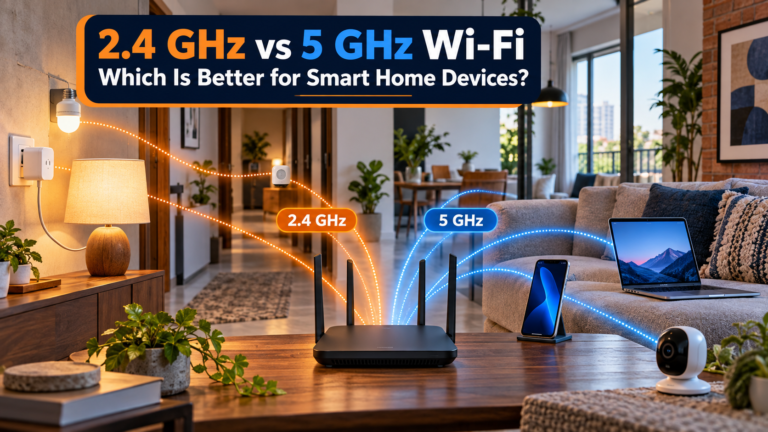
Before adding connected devices, read our guide to choosing the right Wi-Fi band for smart devices.
Best smart home devices in India at a glance
Affiliate Disclosure: This article contains affiliate links. If you purchase through these links, EasyFixGear may earn a commission at no additional cost to you. Our recommendations are based on editorial research, not paid product placement. Read our Affiliate Disclosure for more information.
| Device | Best for | Connectivity | Voice/platform support | Hub required? | Typical price* |
|---|---|---|---|---|---|
| Tapo P116M (6A) | Lamps and small compatible loads | 2.4GHz Wi-Fi, Bluetooth; Matter | Alexa, Google, Apple Home, SmartThings | No for Tapo; a compatible controller for Matter ecosystem use | ₹1,000–₹1,200 |
| Tapo L530B (B22) | Dimming, colour and schedules | 2.4GHz Wi-Fi | Alexa, Google Assistant | No | ₹700–₹900 |
| Wipro 16A Wi-Fi Smart Plug | A compatible higher-load appliance | Wi-Fi | Alexa, Google Assistant | No | About ₹950–₹1,300 |
| Amazon Echo Dot | Voice control, timers and routines | Wi-Fi, Bluetooth | Alexa | No | About ₹5,499 |
| CP Plus Ezykam | Indoor monitoring | 2.4GHz Wi-Fi | Alexa, Google Assistant | No | About ₹2,700–₹3,700 |
| Tapo D230S1 | Doorstep monitoring | Doorbell-to-H200 wireless link; hub connects to network | Alexa/Google support varies by feature | Yes, H200 included in kit | About ₹9,500 |
| Wipro DSP2400 switch module | Retaining physical wall controls | Wi-Fi | Alexa, Google Assistant | No | About ₹2,100 plus installation |
| SwitchBot W0202200 | AC/TV/STB remote consolidation | Wi-Fi + infrared | Alexa; app listing also references Google Home support | No | About ₹2,500 |
| Tapo T110 + H100 | Door/window alerts and automations | Sub-1G sensor link; hub uses 2.4GHz Wi-Fi | Alexa, Google; Matter exposure depends on hardware/firmware | Yes | About ₹2,800–₹3,500 combined |
| Tapo RV30 Max | Scheduled floor maintenance | Wi-Fi; LiDAR/IMU navigation | App; verify current voice features | No separate hub | About ₹15,000–₹20,000 |
Observed India prices on 6 September 2026; offers fluctuate. “Works with Alexa/Google” does not mean Matter-certified. Only the P116M in this table is presented as a Matter device based on the cited official product documentation.
How We Chose These Smart Home Devices
EasyFixGear evaluated smart-home devices according to the problem they solve, compatibility, connectivity, hub requirements, India availability, electrical suitability, privacy implications, ongoing costs, replacement parts or batteries, warranty/support and whether the automation provides enough benefit to justify its complexity.
Recommendations are based on manufacturer documentation, current India availability and practical suitability. EasyFixGear does not claim hands-on testing unless explicitly stated.
What does a smart home actually need?
The minimum is a smartphone, a supported app, a compatible device and a stable network where the product requires one. Many entry devices use 2.4GHz Wi-Fi because it offers useful range; your phone can remain on a dual-band network if the router and setup flow handle both bands correctly.

A smart speaker or display is optional. It provides voice commands, timers, music, announcements and routines, but the manufacturer’s app normally remains important for setup, firmware, advanced settings and account management. A separate hub is also optional unless the chosen product requires one. Tapo’s T110 contact sensor, for example, communicates through a compatible Tapo hub; the P116M plug connects directly to Wi-Fi.
Automations are the final layer: “at 11 p.m., turn off the lamp” or “if the door opens, send a notification.” Start with one dependable routine, not twenty clever ones nobody remembers.
1. Tapo P116M: best first smart plug
Best for: A lamp, charger or other compatible small resistive load.
Why it helps: Remote control, schedules, auto-off and energy monitoring solve common “did I leave it on?” problems.
Key compatibility: 2.4GHz Wi-Fi and Bluetooth; Tapo app; Alexa, Google Assistant, Apple Home and SmartThings; officially documented Matter compatibility.
Main limitation: The India model is rated 6A maximum for a resistive load—it is not a general-purpose solution for every appliance.
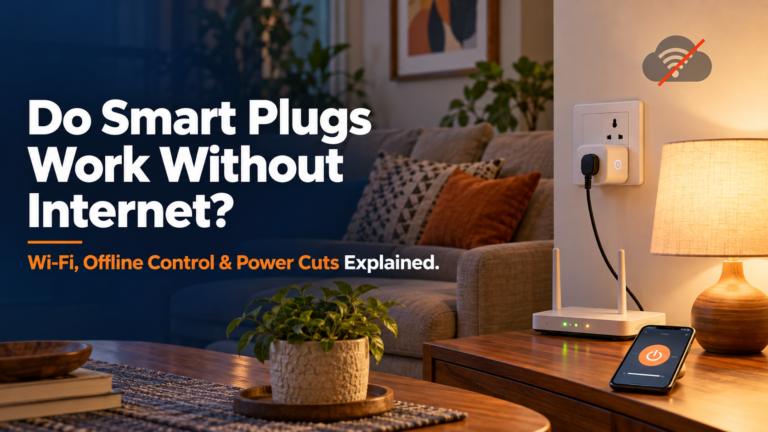
Will a smart plug still work during an internet outage? Some functions may continue over the local network, while remote access, voice assistants and cloud-dependent automations may stop working. The exact behaviour depends on the model and setup. Read our guide on Do Smart Plugs Work Without Internet? to understand what works offline and what requires connectivity.
Typical price: About ₹1,059.
Recommended model: TP-Link Tapo P116M.
EasyFixGear verdict: The best all-round beginner purchase when its electrical rating suits the load. Its Matter support makes future ecosystem changes less restrictive, while the Tapo app supplies energy data and schedules.
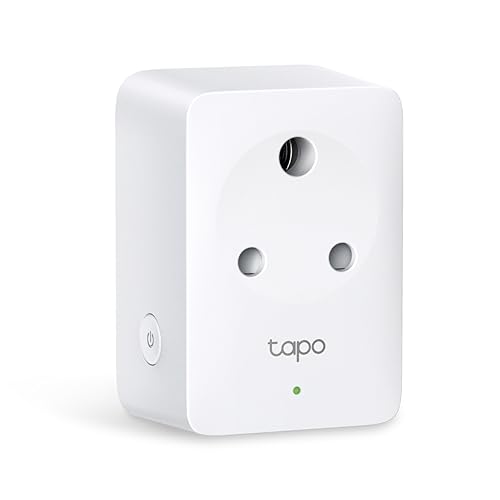
- Energy Monitoring — Tracks the energy use of connected devices and allows electricity rate input for bill estimates.
- Matter Compatibility— Works seamlessly with Apple Home, Alexa, Google Home, and SmartThings
- Compact Design — Mini-sized to avoid blocking adjacent outlets.
Do not use any smart plug merely because its connector fits. Check the plug’s maximum current, load type and safety instructions, then check how the appliance behaves after power is restored. Heating devices, motor loads and products that require a manual start can be unsuitable. Never exceed the rating, daisy-chain adapters or use a plug with visible damage or heat discolouration.
For a compatible heavier load, Wipro sells 10A and 16A variants with app scheduling and Alexa/Google support. Select the exact variant, not just the brand name. TP-Link documents the P116M’s 6A resistive-load limit and Matter/platform support; Wipro lists its India smart-plug variants and one-year warranty.
2. Tapo L530B: best beginner smart bulb
Best for: A bedside, floor or table lamp where the wall switch can remain on.
Why it helps: App/voice dimming, schedules, millions of colours and 2,500–6,500K adjustable white light.
Key compatibility: B22 base, 2.4GHz Wi-Fi, Tapo app, Alexa and Google Assistant; no hub.
Main limitation: If someone turns off the wall switch, smart control is unavailable. It is not documented here as Matter-compatible.
Typical price: About ₹700–₹900.
Recommended model: Tapo L530B, 806 lumens, 8.3W.
Power consumption: 8.3W for the Tapo L530B V3, according to TP-Link’s official datasheet. Specifications may vary by hardware version.
EasyFixGear verdict: A low-risk, renter-friendly introduction to useful scheduling and dimming. Choose it for one frequently used lamp before filling every ceiling holder with smart bulbs.

- Multicolor —— Easily design scenarios for your daily routine or activities by customizing brightness, light temperature,…
- 60-watt equivalent —— LED bulb produces up to 806 lumens white brightness and has a dimming range from 1% to 100%.
- Preset for Convenience —— Found your favorite lighting for watching movies? Save it as a setting you can simply select f…
An ordinary LED plus a smart wall switch is often more practical for multi-bulb fittings or rooms where people habitually use the wall control. A bulb is better when you want colour or tunable white without electrical work. Official Tapo specifications confirm the B22 base, output, colour range, Wi-Fi and no-hub setup.
3. Wipro 16A Wi-Fi Smart Plug: best for compatible higher-load appliances
Best for: Indian households that need smart control and energy monitoring for a compatible appliance using a properly rated 16A socket.
Why it helps: The Wipro smart plug lets you switch a connected appliance on or off remotely, set schedules and monitor electricity consumption. It can be useful when you want more control over an appliance’s operating hours.
Key compatibility: 2.4 GHz Wi-Fi, Wipro smart-home app, Amazon Alexa and Google Assistant. No separate hub is required.
Main limitation: A 16A rating does not mean every high-power appliance is suitable for automated switching. Check the appliance’s electrical requirements, startup current, manufacturer’s instructions and whether it can safely restart when power returns. Do not use adapters or extension boards to connect an incompatible appliance.
Typical price: Check the current India price; discounts and availability vary.
Recommended model: Wipro DSP1160 16A Wi-Fi Smart Plug with Energy Monitoring.
EasyFixGear verdict: A practical option when a 6A smart plug is insufficient, and the appliance is explicitly suitable for plug-based switching. Its energy monitoring and scheduling are useful, but electrical compatibility matters more than convenience.
Important safety note: Use a sound, correctly rated 16A wall socket. Avoid loose connections, damaged plugs and unattended automatic restarting of heating or motor-driven appliances. For fixed-wired equipment or uncertain electrical loads, consult a qualified electrician.

- Material: Polycarbonate, , Color: White
- Item Dimension: 6.35mm x 5.08mm x 8.1mm
- 1Year
Need help choosing between 6A and 16A smart plugs? Read our detailed guide to Best Smart Plugs in India (2026) for appliance compatibility, electrical ratings, useful features and buying considerations.
4. Amazon Echo Dot (5th Gen): best optional voice controller
Best for: Hands-free timers, reminders, music, routines and control of compatible devices.
Why it helps: One spoken command can operate lights, plugs and other smart devices without opening several apps.
Key compatibility: Wi-Fi, Bluetooth and Alexa; third-party products require their Alexa skill or compatible Matter setup.
Main limitation: Alexa functions need an internet connection, and an always-listening microphone deserves informed placement and privacy settings.
Typical price: About ₹4,499–₹5,499 in India, depending on current offers. Check the retailer’s latest price before buying.
Recommended model: Amazon Echo Dot (5th Gen).
EasyFixGear verdict: Buy it if voice control, timers and audio are genuinely useful. Skip it if app control and schedules already solve your problem.
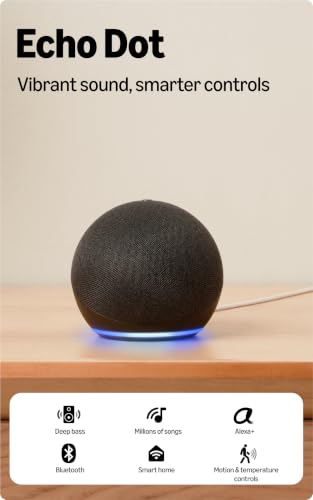
- 5th (Latest) Generation Echo Dot-The best sounding Echo Dot yet with clearer vocals and deeper bass.
- Just ask Alexa to play music from Amazon Music, Spotify, Jio Saavn, Apple Music.(some apps may require subscription)
- Voice control Alexa compatible smart appliances like lights, ACs, TVs, geysers. Extend the experience to non-smart appli…
Echo Dot has a physical microphone-off button and in-app privacy controls. Amazon lists a one-year limited warranty in India. It is an Alexa product, not a universal guarantee that every “smart” device will work with it. Check each device page first.
5. CP PLUS Ezykam: best value indoor smart camera
Best for: Monitoring an entrance, pet area or common room—never a private area without the informed consent of people using it.
Why it helps: 4MP video, pan/tilt, person/pet and selected sound detections, motion zones, night vision and two-way audio.
Key compatibility: 2.4GHz Wi-Fi, Ezycam app, Alexa and Google Assistant; no hub.
Main limitation: Designed for indoor use, not exposed outdoor locations. A compatible microSD card must be purchased separately for local recording. Cloud recording and related features may require a separate subscription; check the current Ezykam/CTC Cyber Secure terms before purchasing.
Typical price: About ₹2,700–₹3,700.
Recommended model: Ezykam CP-E44Q.
EasyFixGear verdict: Strong value because local microSD recording can avoid a mandatory cloud plan. Use privacy zones, a strong account password and the least intrusive placement that meets the need.

- 360° PAN & TILT VIEW: The CP PLUS 4MP Wi-Fi CCTV camera offers full 360° horizontal and 85° vertical rotation, giving yo…
- TWO-WAY AUDIO & BUILT-IN SIREN: This 4MP smart security camera comes with a built-in microphone, speaker, and siren. Tal…
- PRESS TO CALL FEATURE: Unique to this model, the Press to Call button lets family members or staff initiate a video call…
The camera supports cards up to 256GB and CTC CyberSecure Technology. The official page documents 9V DC power, a 100–240V adapter, AES/SSL-TLS security, local storage and the subscription distinction. See the CP Plus EzyKam specifications.
6. Tapo D230S1: best beginner video doorbell kit
Best for: Visitor alerts and two-way communication at a flat or independent-house entrance where mounting is permitted.
Why it helps: 2K 5MP video, colour night vision and motion/visitor alerts help you monitor your entrance. The included H200 hub supports local recording with a compatible microSD card, which may need to be purchased separately depending on the package.
Key compatibility: Tapo app; verify the exact Alexa/Google display and announcement features you need before buying.
Main limitation: The doorbell cannot operate alone; it requires the H200. It is not compatible with an existing wired chime, and battery charging remains a maintenance task.
Typical price: About ₹9,500.
Recommended model: TP-Link Tapo D230S1 kit.
EasyFixGear verdict: Useful where missed visitors or deliveries are a recurring problem, but unnecessary for a building with an effective staffed entrance or existing intercom.

- 2K 5MP Live View—— Always know what happens in front of your door through the Tapo app. With the starlight sensor and 2K…
- Color Night Vision—— With the embedded spotlight and starlight sensor, Tapo D230S1 reveals high-fidelity details and col…
- Head-to-Toe View—— With the camera’s ultra-wide FOV(160° Diagonal), Tapo 4:3 live view ensures users can check visitors …
In an apartment, confirm association, landlord and common-area rules, and frame the view to avoid recording neighbours’ doors or shared spaces unnecessarily. TP-Link’s product page details the 2K 5MP system; its support FAQ confirms the required H200 hub and lack of existing-chime support.
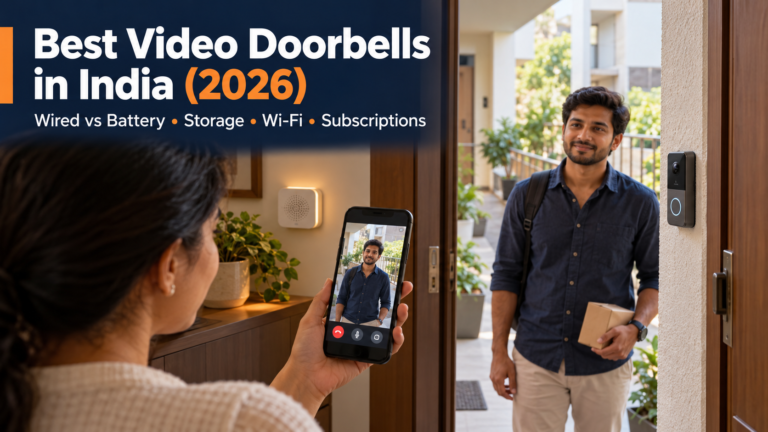
Compare installation, chimes and ongoing recording costs in our video doorbell buying guide.
7. Wipro DSP2400: best retrofit smart-switch option
Best for: Making multiple compatible lighting circuits and other manufacturer-approved loads controllable through an app while retaining physical wall switches. Fan on/off control, if supported, should not be confused with fan-speed regulation.
Why it helps: App, schedules and voice control apply to the circuit rather than to individual bulbs.
Key compatibility: Wipro Next Smart Home app, Wi-Fi, Alexa and Google Home.
Main limitation: Mains installation, switch-box space and wiring compatibility must be checked; this model is not documented here as Matter-certified.
Typical price: About ₹2,100 plus professional installation.
Recommended model: Wipro DSP2400, four-switch control.
EasyFixGear verdict: More practical than multiple smart bulbs in a settled home, but not a plug-and-play beginner project.

- Make Existing Switches Smart
- Control From Anywhere
- Compatible along with Manual Switches
Have a qualified electrician install it according to the manufacturer’s instructions and applicable electrical requirements. Do not attempt DIY mains wiring from a blog tutorial. Neutral wire, load and enclosure requirements vary by product and site. Wipro itself recommends a qualified electrician on its smart-switch module page.
8. SwitchBot Hub Mini Smart Remote – IR Blaster: best smart IR remote hub for compatible appliances
Best for: Homes with compatible infrared remote-controlled appliances, particularly air conditioners and televisions, where users want app-based control without replacing the appliances.
Why it helps: The SwitchBot Hub Mini can learn supported infrared remote commands and send them to compatible appliances through the SwitchBot app. It can also support scheduled operation and remote control when the hub is connected to a working Wi-Fi and internet connection. Compatibility and available functions depend on the appliance and its remote-control protocol.
Key compatibility: The SwitchBot Hub Mini connects to your home network using 2.4 GHz Wi-Fi and sends infrared (IR) commands to compatible appliances such as TVs and air conditioners. The appliances themselves do not need Wi-Fi for basic IR control. Check your exact appliance model and supported commands in the SwitchBot app before buying. Alexa and Google Assistant integration may require account linking and an internet connection; Bluetooth-only control is not a substitute for verified IR compatibility.
Main limitation: “Universal” does not mean every model or every command. It requires line-of-sight to the appliance, and an IR blaster cannot reliably know an appliance’s real state when commands are missed.
Typical price: About ₹2,500 to ₹3,500.
Recommended model: SwitchBot W0202200.
EasyFixGear verdict: Particularly relevant in Indian homes with IR-controlled ACs, but buy only after confirming the appliance/remote protocol in the SwitchBot app or with support.
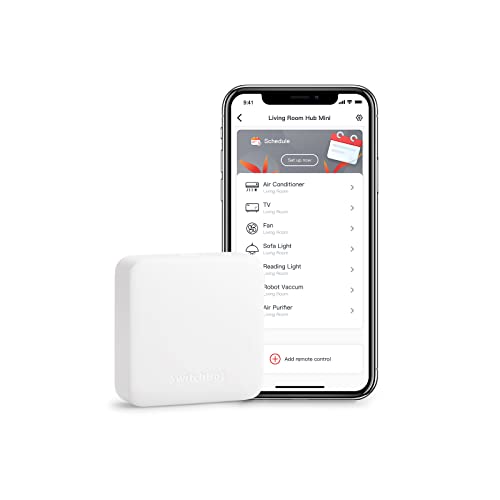
- One Hub for All Your Devices: Control your TV, AC, fan, lights, projector, DVD player, and more from a single smart hub.
- Control from Anywhere: Turn your home appliances on or off remotely using the SwitchBot app, anytime and anywhere.
- Create Smart Schedules: Set daily routines and timers to automatically control your AC, lights, curtains, and other smar…
Connect Your Smart Home: Works seamlessly with SwitchBot products like Curtain, Bot, Motion Sensor, Contact Sensor, Meter, Plug, Indoor Camera, and Humidifier to create a fully automated home.
9. Tapo T110 plus H100: best simple sensor starter
Best for: A door/window-open alert or a meaningful routine such as “door opens after sunset → turn on entry light.”
Why it helps: Real-time status, notifications and automations add information rather than another manual control.
Key compatibility: T110 uses Tapo’s low-power Sub-1G link; H100 connects through 2.4GHz Wi-Fi. Tapo documents Alexa/Google integration and Matter bridging for supported versions—check the hardware version and current compatibility list.
Main limitation: T110 requires a compatible Tapo hub. One sensor is poor value if you have no useful alert or automation planned.
Typical price: T110 about ₹1,200; H100 about ₹1,650; roughly ₹2,800–₹3,500 combined.
Recommended model: Tapo T110 contact sensor with H100 hub.
EasyFixGear verdict: A sensible second-stage purchase, not the first. Its adhesive mounting suits renters, and the replaceable CR2032 battery is rated by Tapo for up to two years under stated conditions.
Important buying note: This recommendation requires two components: the Tapo T110 contact sensor and a compatible Tapo H100 hub. The product card below is for the H100 hub only; it does not necessarily include the T110 sensor. Check the package contents and purchase the sensor separately if it is not included. Confirm current India availability and compatibility before ordering.
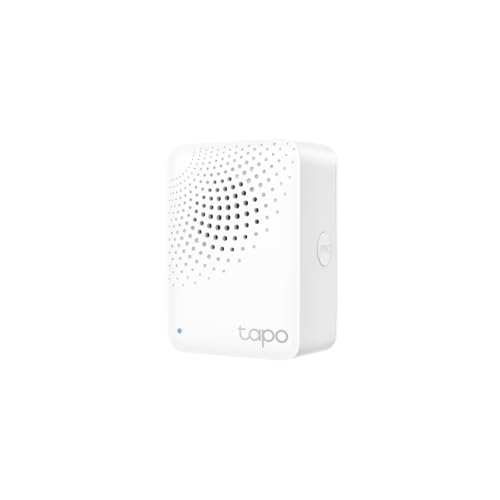
- Reliable Long-Range Connections —— Keep sub-devices connected at all times through the robust wireless network.
- Low-Power Wireless Protocol —— Make connected devices work energy-efficiently, promising longer standby time.
- Smart Alarm —— Coordinates with Tapo smart sensors to warn of danger or deter intruders.
Tapo also sells motion, temperature/humidity and leak sensors in some markets. Availability varies, so confirm an India listing and hub compatibility. A leak sensor is valuable when it alerts you near a washing machine, sink or water heater; a box of unused sensors is not. Tapo India documents T110 notifications, automations and battery claims, and the H100 page confirms 2.4GHz Wi-Fi, Sub-1G and up to 64 connected devices.
10. Tapo RV30 Max: useful, but not a first smart-home purchase
Best for: Scheduled maintenance cleaning on suitable floors in an uncluttered home.
Why it helps: LiDAR/IMU navigation, app-based schedules, vacuuming, light maintenance mopping and automatic return to the charging dock can reduce repetitive floor-cleaning work. However, the mopping function is intended for routine upkeep rather than replacing manual scrubbing or deep cleaning.
Key compatibility: Tapo app and home Wi-Fi; verify current assistant support for the specific hardware/software version.
Main limitation: Higher price, brush/filter/mop maintenance, floor preparation and no stair cleaning.
Typical price: About ₹15,000–₹20,000.
Recommended model: Tapo RV30 Max.
EasyFixGear verdict: A worthwhile automation for the right floor plan, but choose it as a cleaning appliance first and a smart gadget second.

- Ultra-Powerful 5300Pa Suction —— Ensures the robot efficiently picks up dust, pet hair, crumbs, and various debris from …
- LiDAR+IMU Dual Navigation System —— Accurately maps out your house in minutes, avoids omissions and repeated cleaning, a…
- No Spots Missed —— Utilizes Mesh Grid for a more comprehensive and thorough clean.
For the full trade-off, see Robot Vacuum vs Regular Vacuum: Which Is Better for Indian Homes and Best Cleaning Gadgets That Actually Make Housework Easier. TP-Link’s India robot-vacuum page lists its 5,300Pa maximum suction claim and navigation features.
What about a smart lock?
A connected lock can be useful for PIN, fingerprint or app access, guest codes and activity history, but it is not the best first purchase for most beginners. Door thickness, backset, frame alignment, weather exposure, installation and local service matter more than an impressive feature list. Confirm battery warnings, emergency power, mechanical-key backup, access after phone loss, and whether remote app control needs a separate bridge.
Yale’s Zuri S is currently sold in India with fingerprint, PIN, RFID, manual key and Bluetooth/Yale Home app access, plus a listed three-year warranty. Treat it as a specialist security purchase that deserves a professional compatibility check—not an impulse IoT add-on. Yale explains that app capability varies by lock and that some models use built-in Bluetooth or an add-on module.
Alexa vs Google Home vs Apple Home vs Matter
- Alexa is Amazon’s assistant and ecosystem. It is attractive when Echo speakers, Alexa routines and India skills fit your household.
- Google Home is Google’s home-control platform. It can control compatible devices through the Google Home app and supported speakers/displays.
- Apple Home is Apple’s ecosystem. It is strongest for households already using iPhone, HomePod or Apple TV, but product choice and hub requirements must be checked in India.
- Matter is an interoperability standard, not a voice assistant and not a radio band. Matter devices communicate over IP using Wi-Fi, Thread or Ethernet; Bluetooth Low Energy is used during setup. A “Works with Alexa” logo alone does not prove Matter certification.
- Thread is a low-power mesh network used by some Matter devices. Thread accessories need a compatible Thread border router; not every smart speaker provides one.
Do not choose an ecosystem from a single logo. Check whether the exact device exposes the features you care about—video feeds, energy data, sensor triggers and guest access may not transfer identically across platforms. The Connectivity Standards Alliance provides the official Matter overview; Google explains Matter hub and Thread border-router requirements, and Apple documents its Matter and Thread home-hub requirements.
Do you need a smart-home hub?
Direct Wi-Fi devices such as the P116M, L530B and CP Plus Ezykam CP-E44Q join the home network without a separate manufacturer hub. Battery sensors often use Zigbee, Thread or a brand-specific low-power link and therefore require or benefit from a compatible hub/controller. Matter-over-Wi-Fi products still need a Matter controller for the chosen ecosystem; Matter-over-Thread also needs a Thread border router. Read the exact requirements, including hardware version, before purchase.
Does a smart home work without internet?
Sometimes, partly. Physical switches should still operate compatible lights and switch modules. The P116M explicitly advertises local Tapo app control on the same LAN, and Matter is designed for local IP communication. A sensor-to-hub alarm or locally stored camera recording may continue depending on configuration.
However, remote access, Alexa/Google voice processing, cloud recordings, push notifications outside the home and cloud routines may stop. Wi-Fi devices also fail if the router loses power, even when the broadband line is healthy. If an automation is safety-critical, do not assume consumer cloud IoT is a fail-safe system.
Privacy and security without panic
Use a unique password for each manufacturer account, enable multi-factor authentication where offered, install firmware/app updates, and remove devices from your account before selling them. Share household access through official guest/family controls rather than a common password. Review app permissions and retention settings; pay special attention to cameras, microphones, location and contacts.
Place indoor cameras toward entry points, not beds, bathrooms, work screens or neighbours. Tell family members, guests and domestic workers where cameras are used. Prefer local recording when it meets the need, encrypt the phone, and protect the microSD card physically. Check whether the manufacturer still publishes updates before expanding its ecosystem. CERT-In advises changing default passwords and applying IoT security patches promptly in its IoT security advisory.
Smart-home devices for Indian homes
Many entry products require 2.4GHz Wi-Fi. Before buying more devices, test router coverage in the actual room; brick and reinforced-concrete walls can reduce signal. A mesh system or better router placement can be more valuable than another gadget.
Check 220–240V/50Hz compatibility, Indian plug and socket fit, current/load limits, surge protection recommendations, and behaviour after a power cut. Keep invoices for local warranty. Prefer models with India support and obtainable batteries, microSD cards, filters, brushes or hubs. Apartment residents should prioritise removable products and entrance rules; independent houses may get more value from weather-rated outdoor cameras and doorbells.
Add smart-device inspection to The Ultimate Home Maintenance Checklist: review batteries, loose plugs, unusual heat, camera views and firmware every few months.
Best smart devices for renters
Start with a smart bulb, smart plug, Echo Dot, freestanding indoor camera or adhesive contact sensor. Keep original fittings, avoid permanent drilling, and ask permission for doorbells or external cameras. A retrofit switch module needs mains work and is rarely the first renter choice. Removal should also include deleting recordings, revoking shared users and factory-resetting the device.
Smart home on a budget

Stage 1 — Start small
Spend roughly ₹700–₹1,200 on one bulb or correctly rated plug that fixes a recurring inconvenience.
Stage 2 — Add control
Add an Echo Dot only if voice, timers or household announcements will be used. App schedules cost nothing extra.
Stage 3 — Add automation
Add a hub and sensor after writing down the trigger and result: “door opens after dark → entry light on,” not “sensor because it was cheap.”
Stage 4 — Expand carefully
Add a camera, doorbell or wired switch after choosing an ecosystem and reviewing privacy, installation and ongoing costs.
Want to build your setup gradually without overspending? Our Smart Home on a Budget in India guide provides a step-by-step roadmap for choosing an ecosystem, starting with one useful device and expanding only when the automation solves a real problem.
Smart-home gadgets beginners probably do not need
Avoid products that automate an already effortless task, require several apps for little benefit, lack a clear update or privacy policy, or come from a seller with no meaningful support. Skip expensive “whole-home” packages until one-room automations have proved useful. Do not buy several incompatible ecosystems in one sale. Above all, don’t automate something just because you can.
Best beginner smart-home setup
A realistic starter system is one Tapo P116M for a compatible lamp or one L530B bulb, controlled first in the Tapo app. Add an Echo Dot only for hands-free control. If entrance monitoring is genuinely needed, choose either a CP Plus Ezykam aimed at an indoor doorway or a D230S1 doorbell—not both automatically. Add T110/H100 only when its alert or routine is defined. Most households do not need every category.
What should you buy first?
- Automate a lamp or simple compatible appliance? Consider a correctly rated smart plug.
- Improve lighting control? Choose a smart bulb; consider a professionally installed smart switch for multi-light circuits.
- Want voice control? Add a smart speaker or display.
- Monitor an entrance? Choose a camera or video doorbell with suitable placement and storage.
- Want security alerts? Use an appropriate sensor or camera tied to a meaningful notification.
- Automate floor cleaning? Consider a robot vacuum after checking the floor plan and maintenance.
- Still unsure? Buy nothing yet. Record the recurring problem for a week, then automate the one that wastes the most effort.
Common buying mistakes
The biggest mistakes are buying without checking the exact ecosystem; assuming every device supports Alexa, Google and Apple; confusing Matter with Wi-Fi; ignoring hub or Thread-router requirements; overlooking 2.4GHz setup; missing subscriptions; choosing unsupported bargain IoT; leaving privacy settings untouched; automating too much at once; splitting the home across many apps; ignoring local warranty; and choosing novelty over usefulness.
Final verdict
The best smart home devices in India for beginners are usually a smart plug, smart bulb, optional voice speaker, carefully placed camera or doorbell, and one or two purposeful sensors. The P116M is the strongest first purchase for a compatible small load because it combines straightforward control, energy monitoring and Matter support. The L530B is simpler for lighting, while Echo Dot is the most approachable voice layer. Security products should follow a real need and a privacy plan.

The right device solves a recurring problem, is easy to use, works reliably with your chosen ecosystem, avoids unnecessary complexity, and has reasonable support and replacement availability. Do not automate the entire home immediately. Start with one problem, automate it well, and expand your smart home only when the next device adds genuine convenience.
FAQs
What are the best smart home devices in India?
For most beginners, the useful categories are a correctly rated smart plug, smart bulb, optional smart speaker, indoor camera or video doorbell, and purposeful contact or leak sensors. Choose according to the problem, not the gadget count.
What smart device should a beginner buy first?
Start with one low-cost device that solves a repeated problem. A Tapo P116M suits a compatible small resistive load; a B22 smart bulb is often even simpler for lighting.
How much does it cost to start a smart home in India?
One useful bulb or plug can cost about ₹700–₹1,200. A basic bulb/plug plus Echo Dot is commonly ₹3,700–₹6,000, depending on offers. Cameras, hubs and installation raise the total.
Do I need Alexa for a smart home?
No. Most devices work through their manufacturer’s app. Alexa adds voice control and routines but is optional.
Can smart-home devices work without Wi-Fi?
Some sensors use Thread, Zigbee or a brand-specific low-power link, but their hub may still use Wi-Fi or Ethernet. Some local and physical controls can work offline; cloud and remote features usually need internet.
What is Matter in smart-home devices?
Matter is an interoperability standard that lets certified devices work with compatible platforms over IP. It is not a voice assistant or wireless band; Matter products may use Wi-Fi, Thread or Ethernet.
Are smart plugs safe for Indian appliances?
Only when the exact plug’s voltage, current, load-type and safety limits match the appliance, and the appliance is suitable for switched-power operation. Never exceed the rating or assume a 6A plug suits a 16A load.
Are smart-home devices safe and private?
They can be used responsibly, but no connected product is risk-free. Prefer supported brands, unique passwords, MFA, updates, minimal app permissions, careful camera placement and suitable local/cloud retention settings.
Which is better for smart home: Alexa or Google Home?
Neither is universally better. Choose the one supported by the exact devices and services your household will use. Verify feature-level compatibility, not only a logo.
Can I create a smart home in a rented apartment?
Yes. Smart bulbs, plugs, speakers, freestanding cameras and adhesive sensors generally require little permanent change. Obtain permission for drilling, doorbells, external cameras or mains-wired switches.